
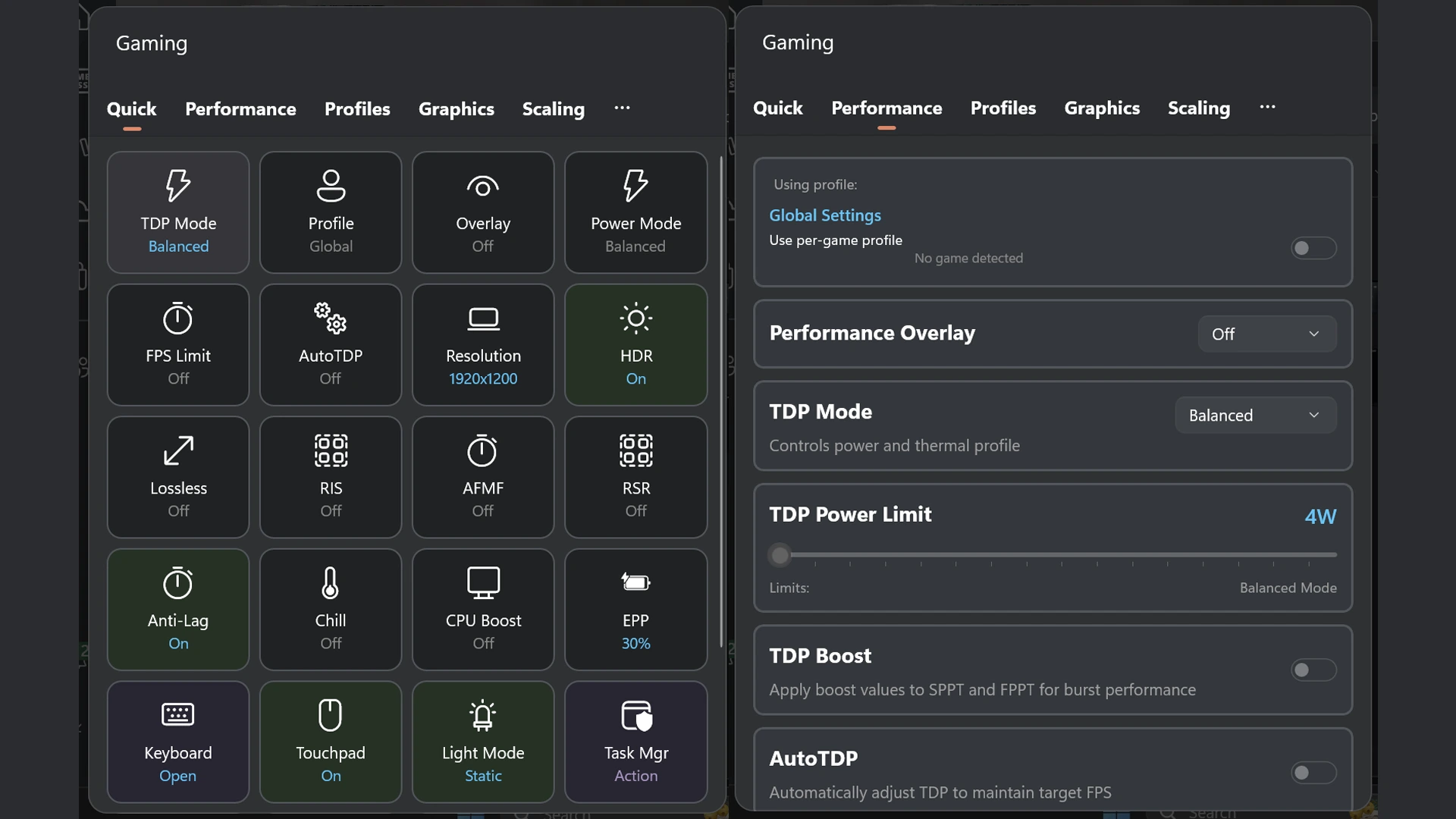
GoTweaks is a Windows Game Bar widget designed for the Lenovo Legion Go, Legion Go 2 and Legion Go S that provides quick access to system tweaks and performance settings without leaving your game.
GoTweaks isn’t just basic power sliders — it’s a full console-like handheld tuning center with deep Legion Go-specific controls, per-game automation, graphical tweaks, controller remapping, adaptive power algorithms, and customizable overlays, all without leaving Game Bar.
Notable GoTweaks Features
- Xbox Game Bar Integration (Win + G)
All tuning is done directly inside Xbox Game Bar, so you never need to leave your game or touch the desktop. - Controller-First Handheld UI
Fully navigable with Legion Go controllers using D-pad focus, large targets, and auto-scroll—no mouse required. - Advanced TDP & Power Management
Custom TDP control, Sticky TDP protection, per-game TDP Boost, and AutoTDP (Beta) to balance performance, heat, and battery life. - AutoTDP (Target-FPS Power Scaling)
Dynamically adjusts wattage in real time to maintain your target FPS using the lowest power possible. - Per-Game Profiles & Default Game Profiles (DGP)
Automatically applies optimized settings per game, including pre-tested Default Game Profiles that adapt for battery or plugged-in play. - Legion Go / Go S / Go 2 Hardware Detection
Device-specific controls only appear when compatible Legion hardware is detected, keeping the UI clean and relevant. - Legion Controller Customization
Button remapping (including extra buttons), joystick-to-mouse mode, desktop control layouts, vibration toggles, and deadzone tuning. - Gyro Configuration (Legion Go)
Fine-grained gyro controls including sensitivity, axis inversion, activation behavior, and per-game tuning. - Performance Modes & Fan Controls
Quick switching between Quiet, Balanced, Performance, and Custom modes, plus fan behavior controls on supported firmware. - AMD Radeon Feature Control
Toggle Radeon Super Resolution (RSR), AFMF, Anti-Lag, Boost, Chill, image sharpening, and display color options from one place. - Lossless Scaling Integration
Launch and manage Lossless Scaling directly from Game Bar, including per-game and per-profile behavior. - Customizable Quick Settings Dashboard
One-tap tiles for your most-used actions—TDP, profiles, overlays, battery info, hibernate, shortcuts, and more. - Enhanced On-Screen Display (OSD)
RTSS-powered overlay showing FPS, frametime graph, temps, power draw, VRAM, battery status, fan speed, and AutoTDP state. - OLED-Friendly OSD Options
Burn-in protection, adjustable detail levels, and customizable overlay colors for long handheld sessions. - System Utilities Built-In
Battery charge limit tile, quick hibernate, controller battery status, helper restart, debug logging, and update checks. - Modern Driver Architecture
Uses a newer helper driver (WinRing0 removed) to reduce antivirus false positives and improve system stability. - Free & Open-Source
Actively developed, community-driven, and constantly evolving with new Legion-focused features.


How to Install GoTweaks on Legion Go / Go S / Go 2
The easiest and most reliable way to install GoTweaks is by using the provided PowerShell install script. This automates dependency setup, certificate installation, and the Game Bar widget registration so you can get up and running with minimal effort.
- Download the latest GoTweaks release:
Visit the official GitHub releases page and download the latest ZIP package:
GoTweaks on GitHub - Extract the ZIP file:
After downloading, extract the ZIP to a folder you can easily access (e.g., your Desktop or Downloads). - Run the install script with PowerShell:
In the extracted folder, locateInstall.ps1, then right-click it and choose Run with PowerShell. You may be prompted to approve an Administrator / UAC elevation—accept it. - Approve PowerShell execution policy override (if prompted):
If PowerShell prevents the script from running due to execution policy, you can temporarily allow it by opening PowerShell as Administrator and pasting:Set-ExecutionPolicy Bypass -Scope ProcessThen re-run the script.
- Wait for the script to finish:
The installer will:- Install the widget into Xbox Game Bar
- Install or fix required dependencies
- Set up certificates
- Optionally uninstall older versions
- Restart Game Bar:
After the script completes, press Win + G to open Xbox Game Bar and allow it to refresh your widgets.
After installation, GoTweaks should appear in your Game Bar widgets list. Pin it for quick access during gaming sessions on your Lenovo Legion Go, Go S, or Go 2 handheld.
Note: If you ever need to update GoTweaks in the future, simply re-run the latest install script from a new release package—it will cleanly update your existing installation.