
Palworld is an open-world monster-catching, survival, and crafting game set in a vibrant world filled with over 100 unique creatures called Pals. You can befriend these Pals, capturing them to fight alongside you, farm for resources, build factories, and even ride them to explore the vast and dangerous landscape.
Enable Integer Scaling
Enable Integer Scaling, you can learn how to enable that on the Legion Go here.

Change VRAM
Change the VRAM to 6GB you can learn how to do that here.
Change TDP
Change the TDP to 25W or 30W. You can learn how to change your TDP here.
Palworld Legion Go Game Settings
Before you launch the game, set your display resolution to 800p.
- If your game launches with a black screen you need to close out the game and run the game as administrator. For Steam, locate the game folder, right click the palworld.exe and select Run as administrator.
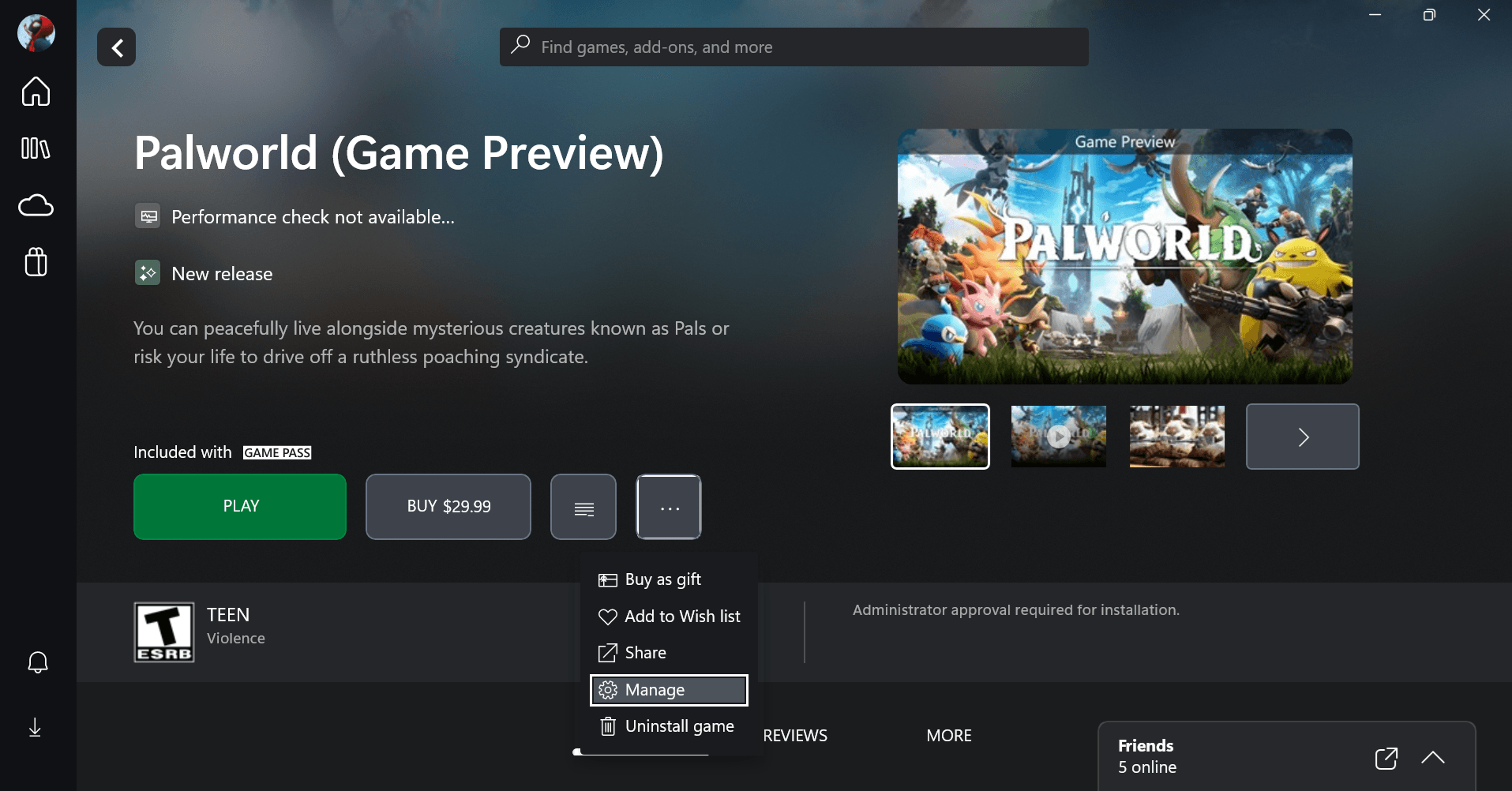
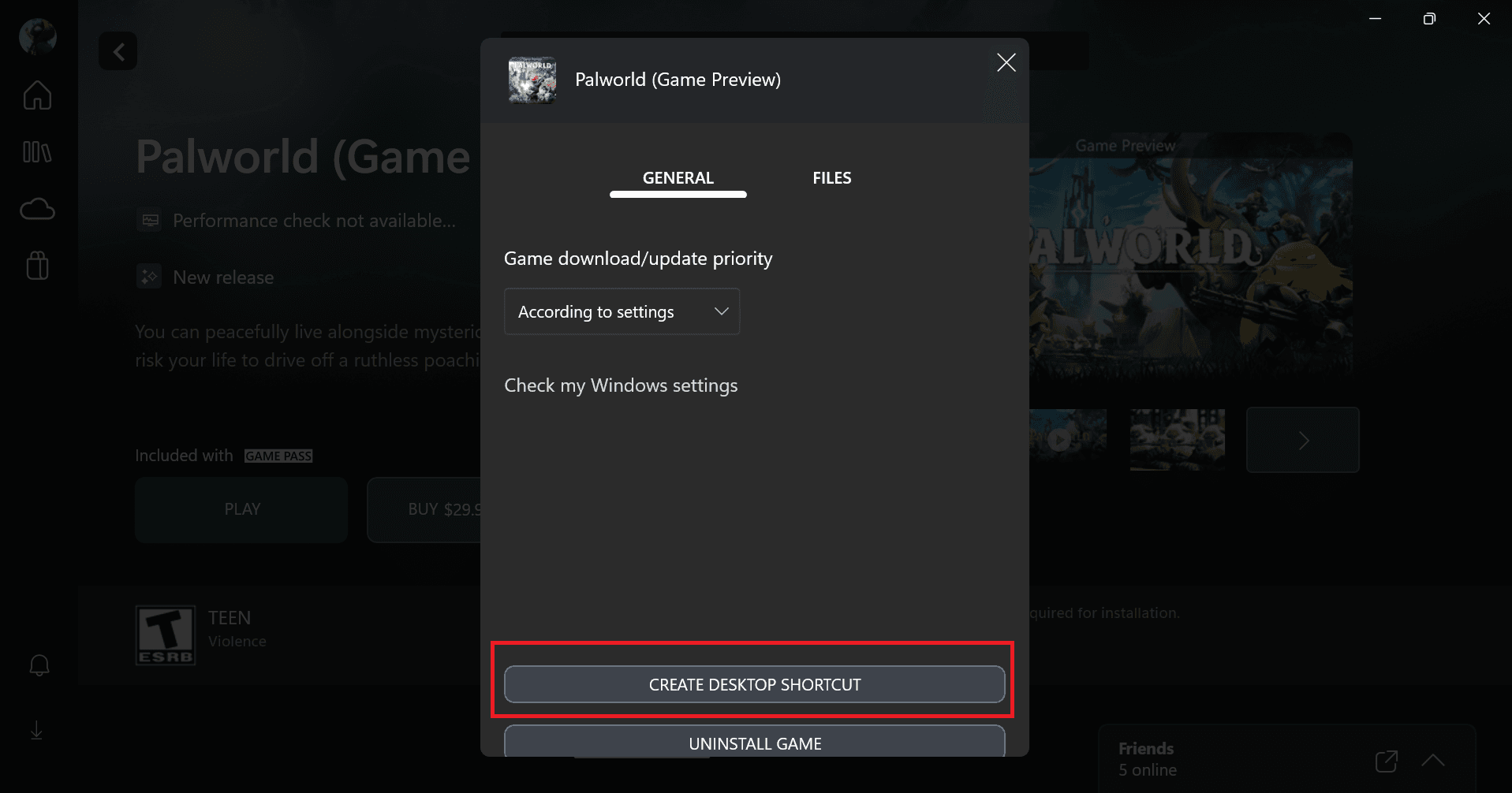
- For Xbox Game Pass, open up the Xbox App, click the three dots in Palworld and click Manage. Then click Create Desktop Shortcut.


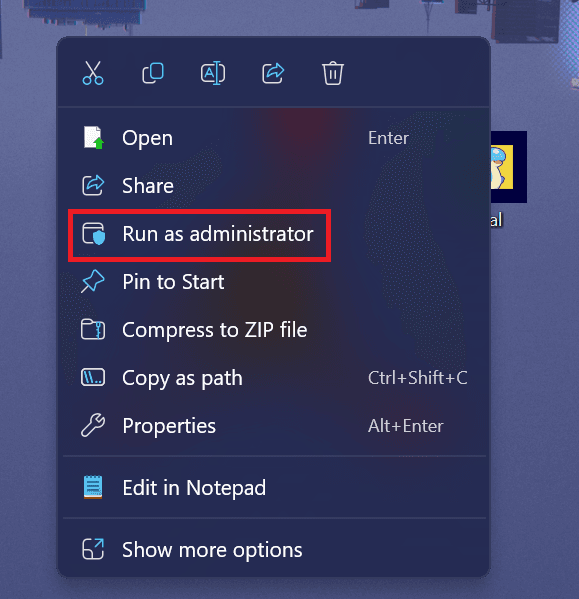
- On your desktop, right click the Pal shortcut and select Run as administrator.

Palworld is still in early access so the performance is still not optimized. At 800p I averaged 40 to 60 FPS with some stuttering at random moments in the game. Hopefully we get some patches to improve performance and FSR gets added to the game.
Graphic Settings
 | 25W
800p 6GB VRAM |
Screen Mode | Fullscreen |
Screen Resolution | 1280 x 800 |
Max FPS | 144 |
VSync | Off |
Motion Blur | Off |
Anti Aliasing | TAA |
View Distance | High |
Grass Details | Low |
Shadows | Low |
Effects Quality | Medium |
Texture Quality | High |
