
Granblue Fantasy Relink is set in the stunning Sky Realm, a world where countless islands float amidst an endless expanse of azure sky. You take on the role of a captain, leading your trusty crew on a thrilling adventure filled with mystery, wonder, and epic battles.
Enable Integer Scaling
Enable Integer Scaling, you can learn how to enable that on the Legion Go here.

Change VRAM
Change the VRAM to 4GB you can learn how to do that here.
Change TDP
Change the TDP to 20W or 25W. You can learn how to change your TDP here.
Granblue Fantasy Relink Legion Go Game Settings
Granblue Fantasy Relink is a demanding game that runs solid on the Legion Go at a low resolution. Unfortunately the game doesn’t support 800p so I had to settle for 720p in game with black borders. I set my TDP to either 20 or 25W and got decent performance. At 20W I averaged 30 to 60 FPS depending on the area in the game and 40 to 60 FPS at 25W. I hope the game gets some performance improvements, 16:10 resolution support and features such as FSR in the future.

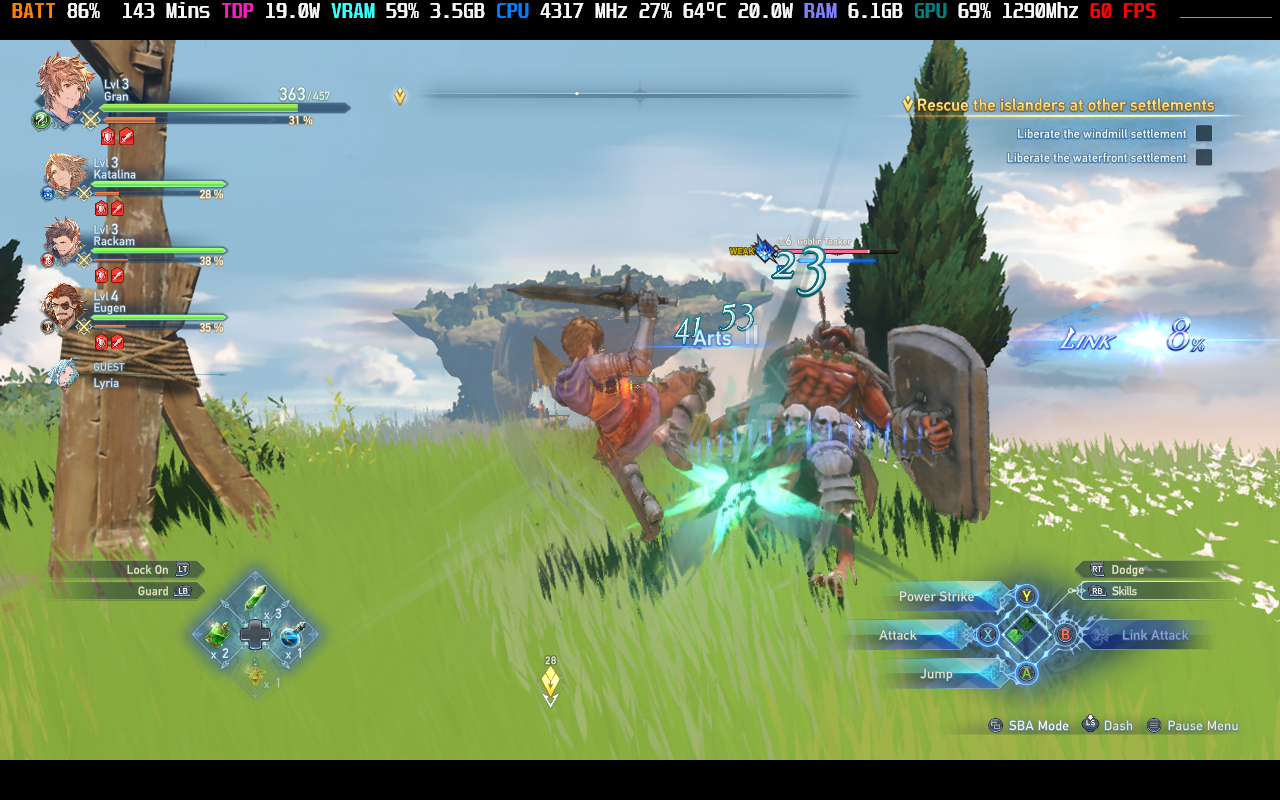


Graphic Settings
 | 20W
800p 4GB VRAM |
Resolution | 1280 x 800 |
Framerate | 120 |
Screen Mode | Fullscreen |
Textures | Standard |
Rendering | Standard |
Lighting | Standard |
Blur | Off |
VSync | Off |
